
Photodiode Teensy#
To compute the latency of the system or for synchronization with a recording device, we have created an option to record a signal from the computer monitor using a photodiode via a teensy. This is a separate teensy from the one that is used for the water delivery. To do this the dlc processor script generates an oscillating binary signal that can be sent to the unity game and rendered as a black and white square in the top right hand corner of one of the computer monitors. This signal can be read using a photodiode that is attached to the screen via a teensy and is read on a separate thread within the dlc processor and time stamped.
Here is a schematic of the circuit used in the MLAI lab:
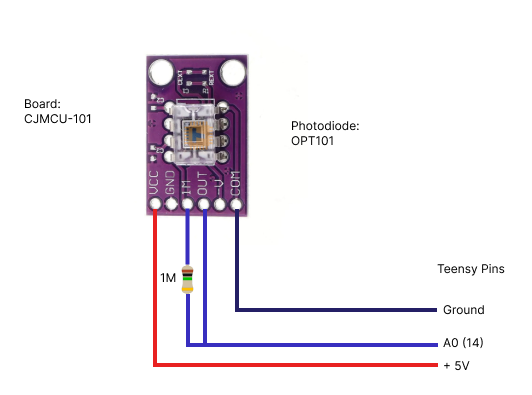
Once the cicuit is built upload this script onto it and update the COM port and baudrate in the dlc_inference_w_pd class in the dlc_processor_socket_pd.py. You can then set the Teensy argument to 1 and the teensy will be used.
The model of the photodiode used by the Tolias lab and the circuit diagram for connecting it to the Teensy:
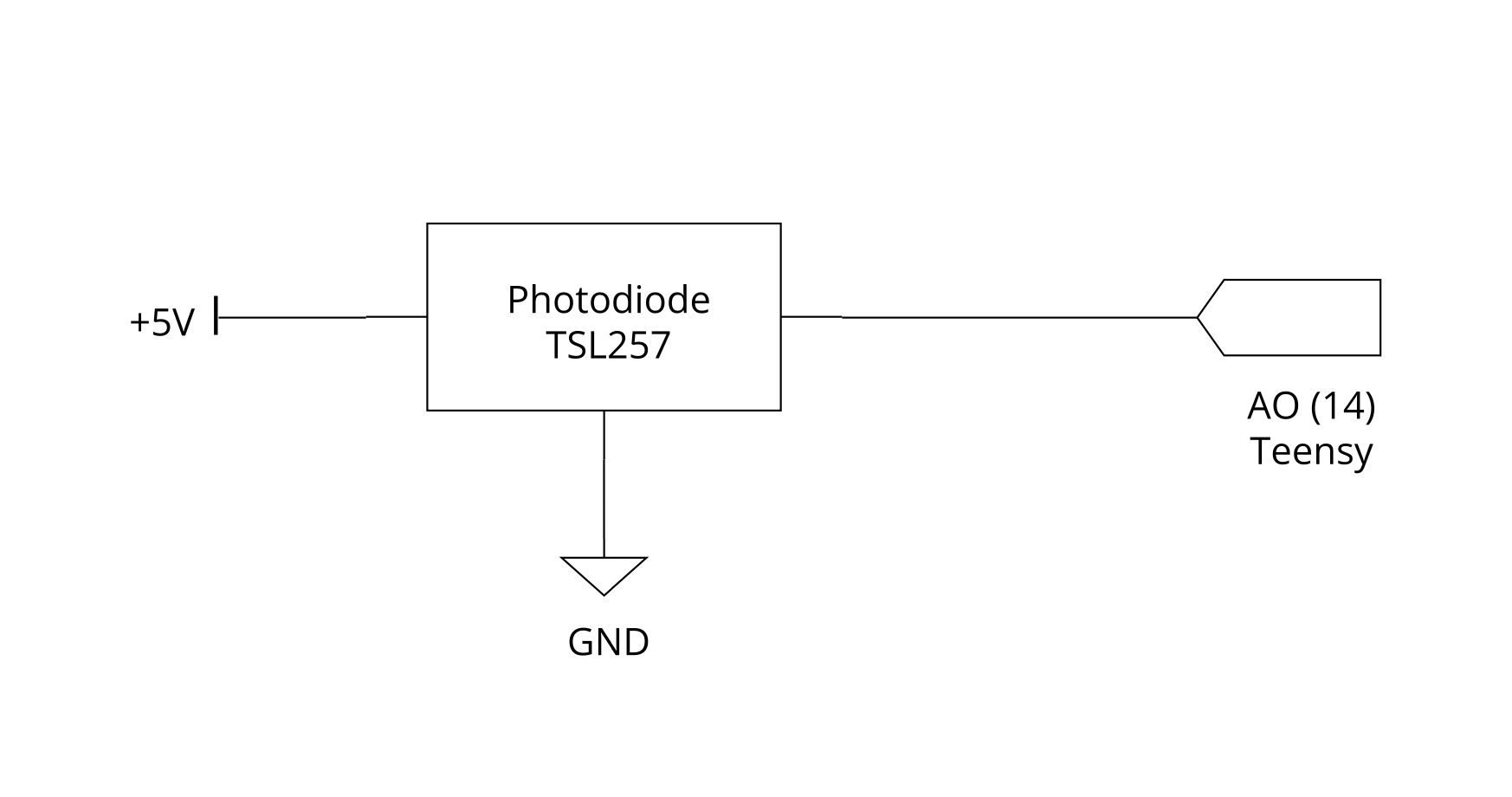
To test the latency of the system run a session and then run this notebook found in the repo under this path: /mouse_task/latency_tests/Latency_test_notebook/Latency_testing.ipynb on the resulting _PROC file that gets saved by the DLClive-GUI. You may need to adjust the flip_photodiode and std_above_meanparameter depending on your photodiode.